
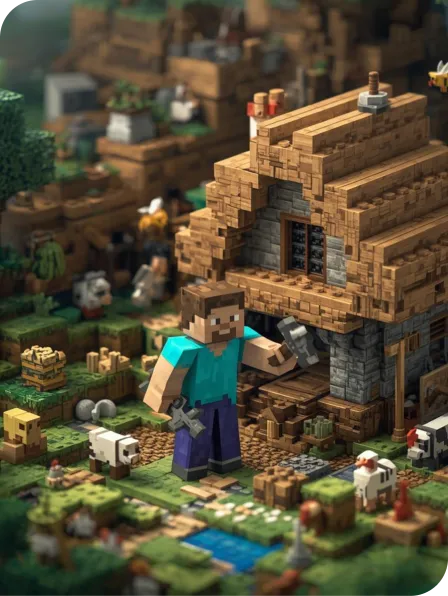
Gamified Coding with Minecraft (GreenQuest)
Eco-themed intermediate coding in Minecraft Education
For students who are ready to move beyond beginner programs, GreenQuest introduces the next level of coding challenges inside Minecraft Education.
This program invites learners to design and code the smart, sustainable cities of tomorrow—building towns that balance people, animals, and the environment. Through creative quests and large-scale builds, students explore green technology and eco-friendly design while learning more advanced concepts such as loops, conditionals, and debugging. With richer projects, trickier challenges, and collaborative problem-solving, GreenQuest delivers a game-like learning experience while deepening STEM skills and big-picture thinking.
What Kids Will Learn (Intermediate Level)
Your child will:
Strengthen their coding abilities using loops, conditionals, and debugging inside Minecraft Education
Tackle city-building quests that require critical thinking and creative solutions
Explore real-world themes like sustainability, renewable energy, and caring for ecosystems
Design community spaces and smart features that support a greener future
Build resilience, independence, and logical reasoning through trial-and-error coding
Work in teams to plan, build, and improve towns like real city designers
Why Parents Love It
GreenQuest keeps the creativity and engagement of Minecraft Education while giving kids a meaningful coding challenge with real-world relevance.
It provides a clear next step for students progressing through our Minecraft Education pathway, ensuring they continue learning at a level matched to their growing skills.
The sustainability theme keeps students excited and motivated, while the coding tasks develop deeper STEM skills—supporting future learning and encouraging children to think about how communities can care for the planet.
Gamified Coding with Minecraft (GreenQuest) is available at

Please note
In order to enrol in a School Term Program, you must be a student of that school
Computer Requirements
Students are required to bring their own device and power cord. Accepted devices include laptops (Windows, Mac) and iPads/Tablets. If students are using an iPad, we highly recommend you also bring a detachable keyboard (Bluetooth tethered).
If your child is not proficient with using a laptop trackpad, please bring your own MOUSE. If you would like to save work to take home, please also bring along a USB.
Minecraft Education provides minimum recommended system requirements for Windows, Mac, iPad and Android devices. It is highly recommended that students’ device specifications are well above these requirements, as older slower devices can struggle with processing speed.
For current requirements: https://educommunity.minecraft.net/hc/en-us/articles/360047556591
Installation Details
Minecraft Education user logins are included with the cost of this course. Please download and install Minecraft Education to your child’s device before attending the class.
Please download Minecraft Education here: https://education.minecraft.net/get-started/download
You might also like
Lego Mindstorms
Code, build and program a robot using Lego Mindstorms technology!
Minecraft Education Aqua Mode
Kids learn the fundamentals of drag and drop coding in our Minecraft Education course, jam packed with underwater adventures, they'll build spatial awareness, problem-solving skills, and creativity!
Minecraft Education Space Mode
Learn coding in our Minecraft Space Mode classes: jam packed with fun coding activities and all the tools your kids need to become a true digital space cadet.