
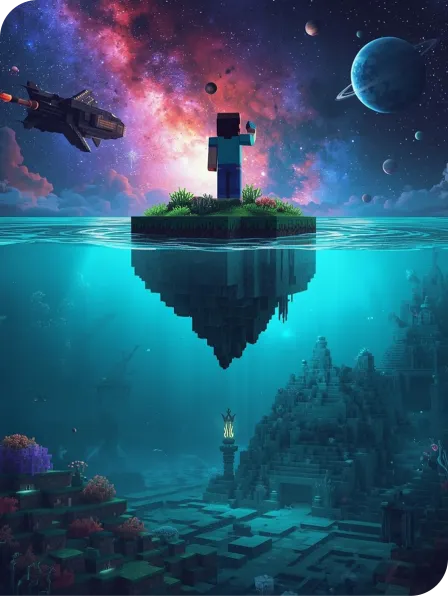
Gamified Coding with Minecraft (Above & Below)
Exploration-themed intermediate coding in Minecraft Education
For students ready to extend their skills beyond beginner programs, Above & Below introduces the next level of coding challenges inside Minecraft Education.
This program sends learners on imaginative quests that blend outer-space exploration with deep-sea discovery. Through immersive, story-driven adventures, students build environments beyond the stars and beneath the waves while tackling interactive challenges that teach more advanced concepts such as loops, conditionals, and problem-solving. With creative missions, strategic obstacles, and collaborative gameplay, Above & Below delivers a game-like learning experience that builds confidence and deepens STEM skills.
What Kids Will Learn (Intermediate Level)
Your child will:
Strengthen their coding abilities using loops and conditionals inside Minecraft Education
Complete story-driven quests set in space and underwater worlds
Design mission tools and environments to overcome interactive challenges
Develop critical thinking and problem-solving skills through strategic coding tasks
Build creativity, independence, and resilience through trial-and-error learning
Work collaboratively with peers to complete missions and achieve shared goals
Why Parents Love It
Above & Below keeps students engaged through imaginative themes while providing meaningful coding challenges that build real skills.
It offers a clear progression within our Minecraft Education pathway, ensuring students continue learning at a level suited to their growing confidence and ability.
The combination of space and ocean exploration sparks curiosity and excitement, while the coding tasks strengthen logical thinking, teamwork, and STEM foundations that support future learning.
Gamified Coding with Minecraft (Above & Below) is available at

Please note
In order to enrol in a School Term Program, you must be a student of that school
Computer Requirements
Students are required to bring their own device and power cord. Accepted devices include laptops (Windows, Mac) and iPads/Tablets. If students are using an iPad, we highly recommend you also bring a detachable keyboard (Bluetooth tethered).
If your child is not proficient with using a laptop trackpad, please bring your own MOUSE. If you would like to save work to take home, please also bring along a USB.
Minecraft Education provides minimum recommended system requirements for Windows, Mac, iPad and Android devices. It is highly recommended that students’ device specifications are well above these requirements, as older slower devices can struggle with processing speed.
For current requirements: https://educommunity.minecraft.net/hc/en-us/articles/360047556591
Installation Details
Minecraft Education user logins are included with the cost of this course. Please download and install Minecraft Education to your child’s device before attending the class.
Please download Minecraft Education here: https://education.minecraft.net/get-started/download
You might also like
Lego Mindstorms
Code, build and program a robot using Lego Mindstorms technology!
Minecraft Education Aqua Mode
Kids learn the fundamentals of drag and drop coding in our Minecraft Education course, jam packed with underwater adventures, they'll build spatial awareness, problem-solving skills, and creativity!
Minecraft Education Space Mode
Learn coding in our Minecraft Space Mode classes: jam packed with fun coding activities and all the tools your kids need to become a true digital space cadet.